> ## Documentation Index
> Fetch the complete documentation index at: https://docs.tonhub.com/llms.txt
> Use this file to discover all available pages before exploring further.
# Meta tags
> Add the necessary meta tags into your app's head section
## Add the necessary meta tags into your app's head section
Configure your Tonhub extension's appearance using well-known tags:
* Title
* Description
* Theme color
* Logo
* Icon
```
Tonhub
```
See [Metadata headers](/docs/metadata-headers) section for more details.
## Generate a URL link to your app as a Tonhub extension
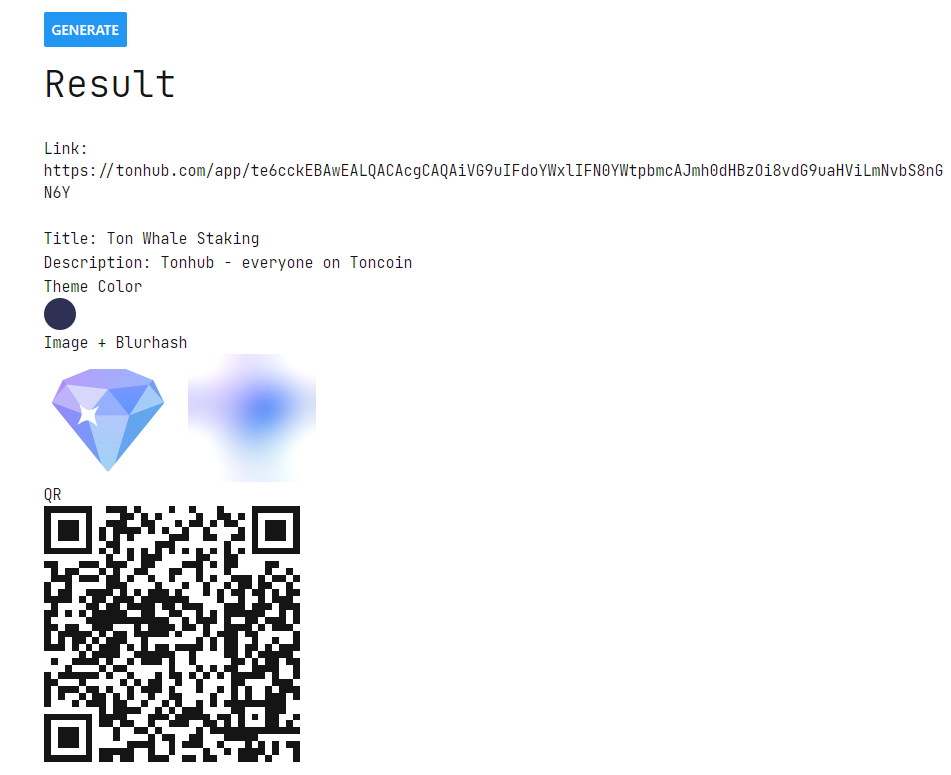
You can create links to your app as a Tonhub extension with [Tonhub Link Generator](/docs/tonhub-link-generator). In addition, you can validate your metadata headers with this tool as it allows you to preview extensions:
* Title
* Description
* Theme Color
* Logo
* Icon image
* Blurhash (Image, which is generated from icon image. Blurhash is shown before Image has loaded)